Simply add both intermediate cerificates in the same place, paste one after the other.
Main Certificate > mysite_com_au.crt
Intermediate Certificate > COMODORSAAddTrustCA.crt + COMODORSADomainValidationSecureServerCA.crt
CA Root Certificate > AddTrustExternalCARoot.crt
I'm using a Comodo EssentialSSL with a 4096 bit private key on my server.
You could also try the follow settings :
General > Advanced Parameters > SSL/TLS Parameters
SSL/TLS Profile : Custom
Ciphers : Strong
SSL 3.0 : No
TLS 1.0 : Yes
TLS 1.1 : Yes
TLS 1.2 : Yes
General > Advanced Parameters > Custom HTTP Headers
Virtual Path : /
HTTP Header Name : Strict-Transport-Security
HTTP Header Value : max-age=31536000; includeSubDomains
To understand the Strict-Transport-Security header :
http://en.wikipedia.org/wiki/HTTP_Strict_Transport_Security
You can test your SSL here :
https://www.ssllabs.com/ssltest/
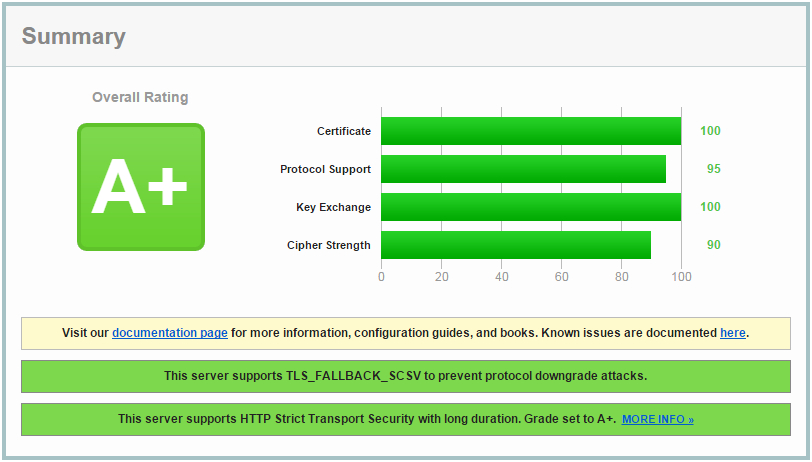
Using the settings above I get an A+ rating :
Also, don't forget that you can only use one SSL certificat per IP address.